


Fifteen script versions and 26 versions of the model.
No, not fifteen variations. Fifteen different scripts. And, 25 freaking new models. Each one was created because nothing could be locked down and “something more important” always kept coming up.
Ten months ago, it was the material, we changed from timber to steel. Then, the start of this year, we took out the bracing between the modules. Just last month, we went from 6 columns to 24 then back down to 20.
The best part? We were delivering in a construction stage. Which is typically when things should have been decided. We should be documenting for the actual construction not deciding on parameters.
Yes, it’s a complex project with many moving pieces. Yes, things change, we get new requirements. But somewhere around script number 8, we were no longer iterating, we were starting over again. And again. And oh, again. Oh, wait and again.
The false promise of “it’s just a script”
This client had been sold the dream that with scripts, you move fast even while changes were happening. You know, explore options, generate variations, instant turnaround, that sort of thing. And that’s technically not wrong. But it only works if the core logic of the workflow stays the same.
The videos you see on LinkedIn about sliding parameters and getting new models is true. But it’s not the full story.
There are an infinite number of ways to solve any given problem. So, to say a script can handle all those changes is an unfair assumption. It’s a good tool but it’s not magic.
When you see a model being generated by a script, the output might look the same, but the process is not. Which is why when someone keeps introducing changes without knowing the impact, it can mean the difference between sliding a parameter and rebuilding the entire script.
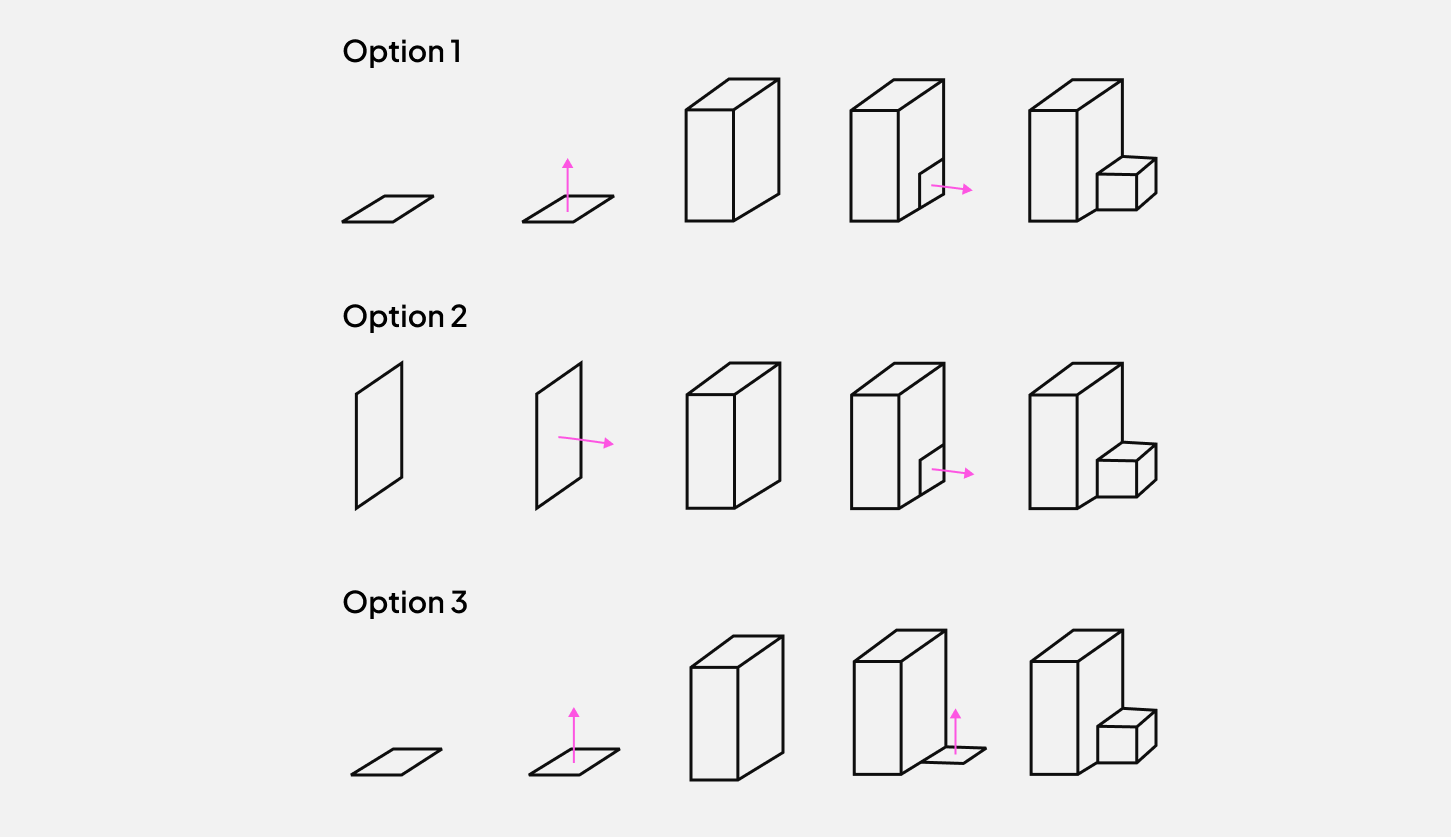
It’s why I focus so much on the intent of the script rather than the logic of it. With AI and tools like Grasshopper, it’s now possible to solve problems any way you like. What then makes a good workflow is one that focuses on the key principles of the problem. It’s one that aligns to the parameters that are important for the project.
If you’re building a tower and the floor area is important, the design your script around that. Or if you know the client’s data is never clean, trying to create a layer between them and the tool is safer than processing their raw data.
The point here is to identify the overall behaviour of the problem and distill that into rules for the workflow
There are a million and one parameters that you can tweak to solve a problem. You cannot create something that accounts for all of them. So, a good digital workflow is based on the vital ones and uses the rest as assumptions.
Hi, I’m Braden
I help teams be more efficient in the AEC Industry, then share stories about it here. I also have courses, guides and scripts as part of CodedShapes Pro
Check it out if that sounds like you.
If you’re new to CodedShapes, welcome! You might enjoy these:
Not all assumptions are equal
So, if the problem is that changing assumptions breaks scripts, does that mean nothing can change? No. Things change all the time. That’s the very nature of projects.
But not all changes carry the same weight.
Any changes to the key principles will require a rebuild but “small” changes can be incorporated with little to no impact. The idea is to think of workflow variables as “hub and spoke”. Changing any “hub” parameters has a huge impact, possibly a rebuild. Changing a “spoke” parameter should ideally be accounted for or have little impact.
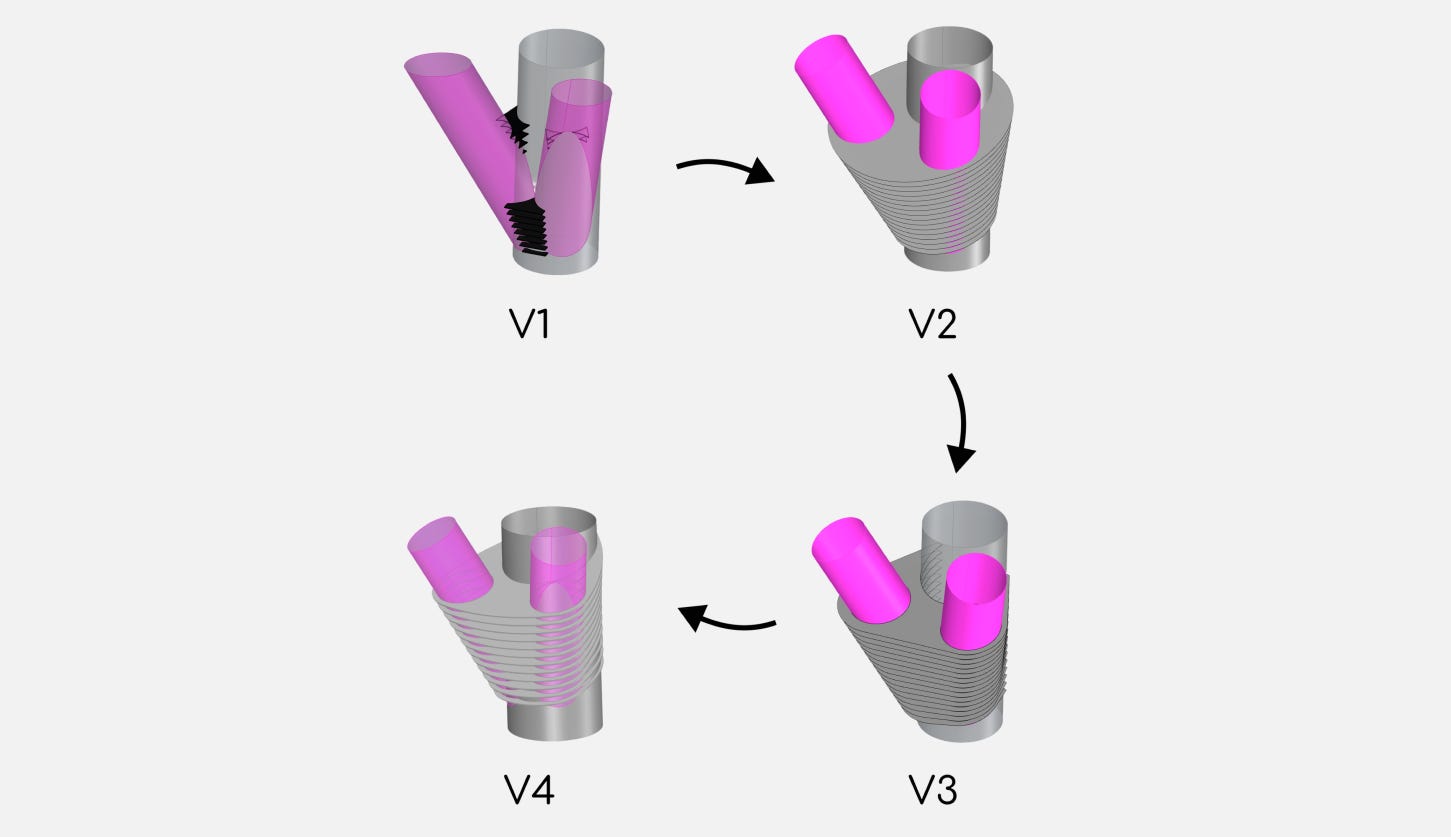
The point here is that we can’t have an infinitely flexible workflow if we want to make our (normally very) tight deadlines.
So the framework makes sense. But most of the time, no one knows which changes actually cause the most impact. The person asking for the change doesn’t know they’re touching something foundational. And the person who built the script never made that distinction visible. And to make matters worse, the person that accepts the change from the client isn’t always the person that built the script.
But it’s really a communication problem
That’s what this really comes down to. A gap between what the script assumes and what everyone else understands about those assumptions.
When I look back at this project, the pain wasn’t that things changed. It’s that we didn’t have a shared understanding of the impact of changes before it was accepted. No one knew what was priority and what other teams were dealing with. There was a lack of clarity.
The ideal scenario would have been, when there’s a change, everyone should know what that means for both a timeline and a budget point of view.
But even though it’s simple to say, it’s not easy to achieve. In complex projects, there are many teams and some politics that get in the way of clear communication. And understanding the downstream effects can be hard. A director I once worked with put it well:
“On a project, we’re building the plane and flying it at the same time”
It’s hard to understand the effects of our changes because we are trying to make sense of things at the same time.
But we have to try because the alternative is timeline delays, very late nights and budget blowouts. Putting in the work to clarify all assumptions and effects is one of the most valuable things you can do on a project.
So, how do we get better at this ?
The best way I have found is to communicate everything, and I do mean everything. And again, easy to say but much harder to achieve in practice.
It means letting your manager know what assumptions you are making in the script and why.
It means letting the client know your modelling process even when they think it’s not relevant.
And it means that every time there’s a change, you need to bring up why and whether the ripple effect is worth it
Currently, there is no good way to communicate all of this. People don’t read the documents being sent. Some meetings are so long and drawn out that most people don’t even pay attention. Even emails get conflated with people defending their own work or assigning blame.
These days I use a combination of Figma boards, live documents and AI meeting transcripts to try and keep everyone on the same page. I bring these to every meeting. I’ve even sent notes from internal meetings to clients explaining how their change will impact our timelines. That was an uncomfortable thing to do but it’s part of being open and communicating more. The one thing that I have seen some other companies do is play around with AI knowledge agents to help with this.
But, it’s still messy, most projects are. And half the time, I’m reorganizing everything while trying to keep up with the project itself. But it’s better than having all those assumptions in your head and then having them sprung on you at the worst time. And how you do it isn’t really the point. The conversation and clarity is the point. The act of sitting down and saying “if this changes, here’s what it affects” is extremely valuable.
And it doesn’t prevent changes. It just makes the cost of those changes visible before someone assumes it’s a quick update and agrees to it.
Communication is always messy
If you are extremely busy, communicating your needs and impacts is hard. It’s likely not even on your todo list. Leveraging AI has been helpful but it still requires your time and when your deadline is tomorrow, I know every minute counts.
With so many moving pieces, different teams involved and let’s be honest, politics. Being transparent about everything is almost impossible. And trying to do this within a live project time frame makes it even harder.
But this communication debt is something that we don’t talk about enough. We spend so much time learning the tools, Grasshopper, Dynamo, Python, and not enough time learning how to make the assumptions behind our work visible to everyone else.
A vital skill here is knowing which parts of the project hold everything else up, and making sure the people around you know that too.
Fifteen scripts taught me that. Hopefully you won’t need that many.
If this sounds familiar, or you’re in the middle of a project right now, I’d love to hear about it. Reply to this email, or if you want help thinking through how your workflows handle change, book a discovery call.
As always, thank you for reading.
Thanks for reading
Subscribe to CodedShapes and I’ll send you my free guide on how to actually apply this to your projects.