



I’ve sat in a lot of project meetings over the years. And there’s a moment that happens in almost every one of them.
Someone (usually an engineer or a drafter) mentions a painfully slow task that they’re doing. It’s normally something really manual, like counting reinforcement bars on drawings or creating the model again because the client changed the geometry for the 14th time (speaking from experience).
Then someone (usually a manager or a senior engineer) will say something like :
‘We should automate this. We do this all the time’.
Then, everyone in the room nods and looks at me. The automation/computational design person.
At which point, I will nod and say something like “Sounds good, we should talk about this later”.
Then they move on with more hope that someone will come and automate away their problems.
What they don’t know though. Is that even though it’s my job to make teams more efficient, I am about to advise against automation. I am about to ask them the hardest question that no one probably thought of in the room:
“I know we can automate this, but should we?”
It is then followed up with more questions, “Will we get sufficient value back?”, “What should it actually do?”, “How much does automation have to cost for this to make sense?” and so on... until everyone is clear on whether automating this particular problem makes sense.
I ask these questions not to discourage an already sparse field. It’s actually because I’ve seen what happens when teams automate the wrong things. They spend months and thousands of dollars building solutions for problems that aren’t worth solving. What then happens, because they’ve spent so much money for little return, they try to force everyone else to use it. In hopes of making some of that money back. But it never happens.
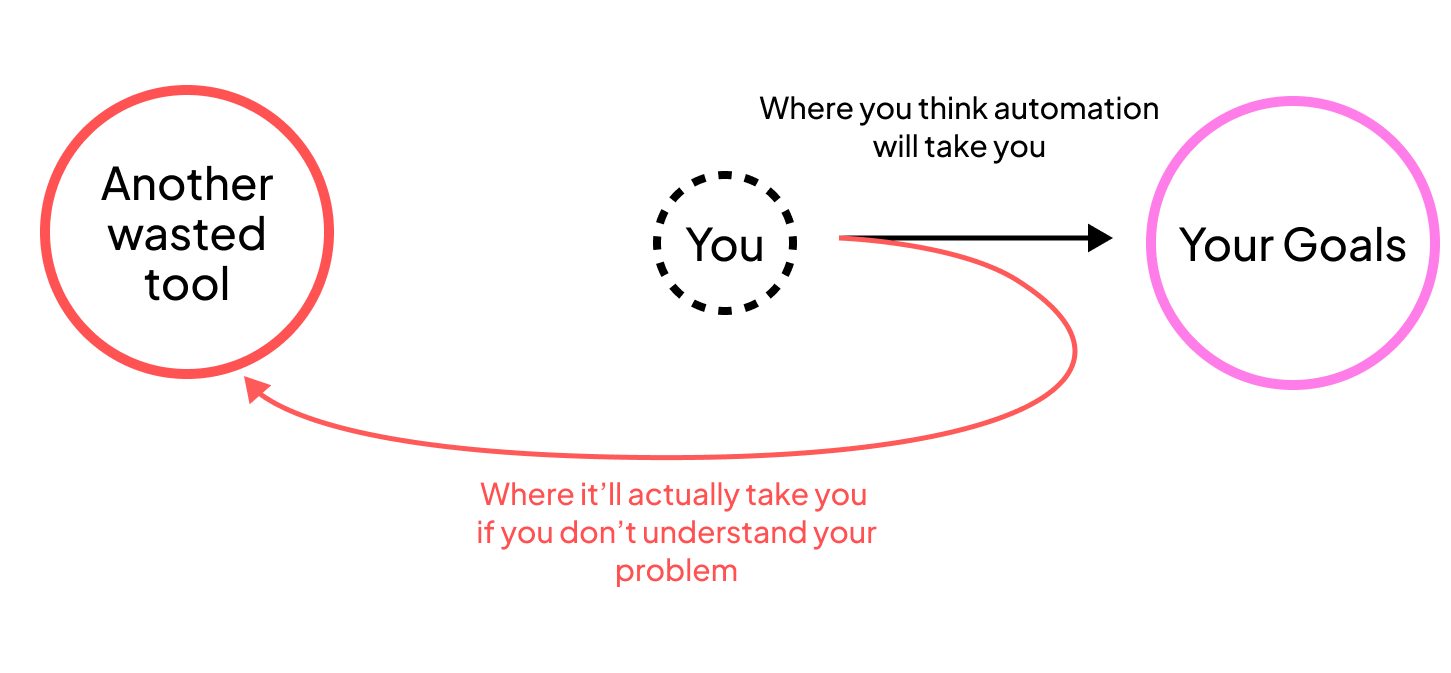
The problem then isn’t purely the solution. It’s automating without understanding what you’re actually solving for. Building a workflow comes with it’s set of problems too. Just because you can automate something, doesn’t mean you should all the time.
The Automation Graveyard
Every firm I work with has what I call an “automation graveyard”. There are scripts and tools built with great enthusiasm, used once or twice, then left on someone’s hard drive somewhere to collect virtual dust. It’s the tool that cost $30,000 to make but only saved $5,000 in practice and only used once.
And now with AI making it easier to build things quickly (but sloppily), this graveyard is filling up faster. Everyone’s empowered to solve every problem without considering if they should.
I’ve definitely been guilty of this too. I’ve spent weeks, sometimes months, building tools that that only got clicked on once, maybe twice at most. It sounded like a good idea at the time but really, the value to cost ratio just didn’t make sense.
The culprit is recency bias.
Which shows that we tend to over-prioritize the most recent pain without thinking holistically about whether it’s actually worth solving. Especially for people that just always just wants to start solving things like me.
When you’ve just spent eight hours manually doing something tedious, your brain is going “THIS NEEDS TO BE AUTOMATED. THERE HAS TO BE A BETTER WAY” That emotional response clouds your judgment about whether it’s actually a worthwhile effort or not.
Especially now, when you can type your same frustrations into ChatGPT and it will build a reasonably good solution for you. The problem is that, you’ve spent two weeks now getting it to work and you might only come across this problem once a year.
It’s not a bad thing to spent that time, if it’s intentional but from what I’ve seen, the real bottleneck is likely elsewhere. And you’re focusing on the wrong thing.
Okay, so how do we actually fix this?
Well, it starts with some uncomfortable thinking questions.
Before we pour our heart and soul into solving our most recent pain, we have to stop and ask if it’s the right thing to be focusing on now. Asking questions and having a few discussions (not 100 of them) really helps hone in on the actual problem. It gives us a better chance that we aren’t adding more to the graveyard.
The Questions
So, before I agree to build anything for a team, I ask questions similar along this line:
These aren’t exact scripts I follow, but they give you a sense of how to think about computational design for your projects.
How often does this actually happen?
“All the time” usually means “it happened twice this month and it’s fresh in my mind.” As in, show me how often and when you actually plan to use the new workflow.
Is it the same process every time?
If you’re saying “well, it depends on the project,” that’s a red flag. Even if things follow a general pattern, slight variations can make it hard to develop a consistent computational solution.
That’s why most Grasshopper scripts are made on a per-project basis. But that doesn’t mean they’re not worthwhile, it just means it likely won’t get reused in other situations.
Where’s the real time being lost?
Sometimes what feels like an 8-hour problem is actually 2 hours of actual work plus 6 hours of waiting for approvals. Automation can’t fix organizational or communication issues. But if there is something that we can build to get you there faster, then that’s useful.
I’ve was once asked by a team to speed up their current process of extracting quantities from drawings. After some discussions and investigation, it turned out to be a drafting standard problem not a computational design problem. I then, build a plugin on top of the new drafting standard to help. But that goes to show sometimes the problem really is else where.
What happens when things change?
If your workflow assumes the design is locked, but the clients are still changing things, then your automation might create more problems than it solves. The last thing you want is to maintain both the manual and automated way of doing things.
I have done this on projects before where I have had up to eight versions of the “same” Grasshopper script. Mostly because the client’s design process kept changing. We went from only horizontal modules to two horizontal plus one vertical to only vertical modules. (Yes, even I get lost reading that last sentence)
The lesson there was, I should have pushed back on developing a script that early. I should have either waited on writing a script or lowered the scope to account for the design changes.
What’s the actual cost if you do nothing?
This is the question most people don’t expect. We always feel like we have to solve things, if there’s pain somewhere, it must be fixed.
But it’s important. It makes you assess whether a computational solution is actually the right approach. Maybe the pain you felt is rare and won’t come back. Maybe it’s okay to just leave it as it is and if it repeats, we look at it again.
The ROI reality check
Okay, let me show you what “worth it” actually looks like based on my past projects.
Example 1: Not worth it - Model Extraction
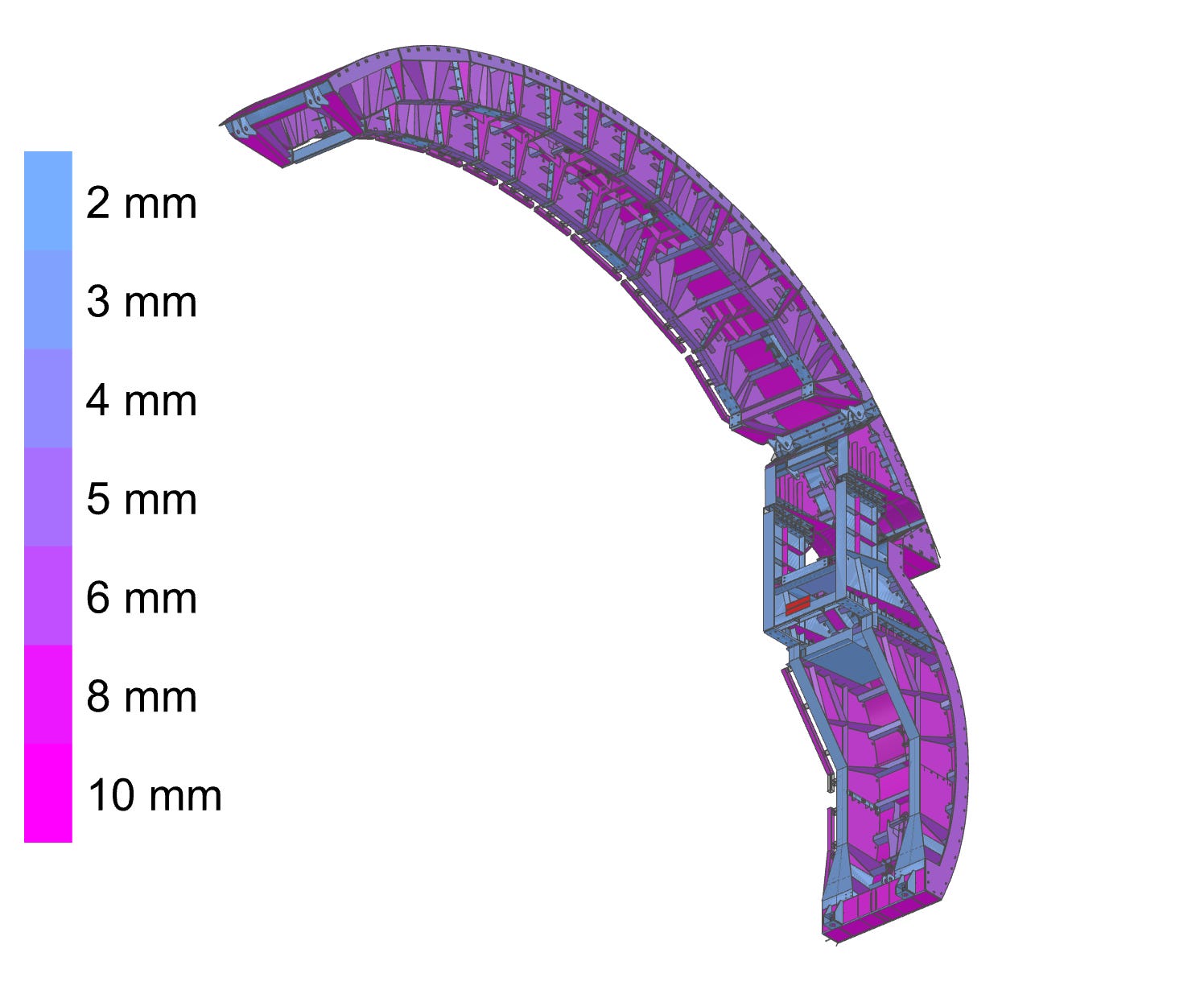
Jo had a huge, complex model from the client that he needed to analyze. Without a second thought, he reached out and asked me to write a script to convert the entire thing into an analysis model.
I spent 80 hours (2 working weeks) writing the script. The geometry was truly complex and the client’s model wasn’t clean. At the end, the script produced an analysis model that still required significant manual cleanup.
After another discussion, it turned out that the model could be simplified. We didn’t need a script after all.
What went wrong:
I didn’t ask “can we simplify this?” upfront
The geometry varied too much for a computational approach
80 hours of development for a single use case didn’t make sense for the project’s budget
If I had paused and asked those questions, we wouldn’t have wasted those 80 hours. This is exactly the kind of solution that ends up in the automation graveyard.
Example 2: Worth it - Model Differences
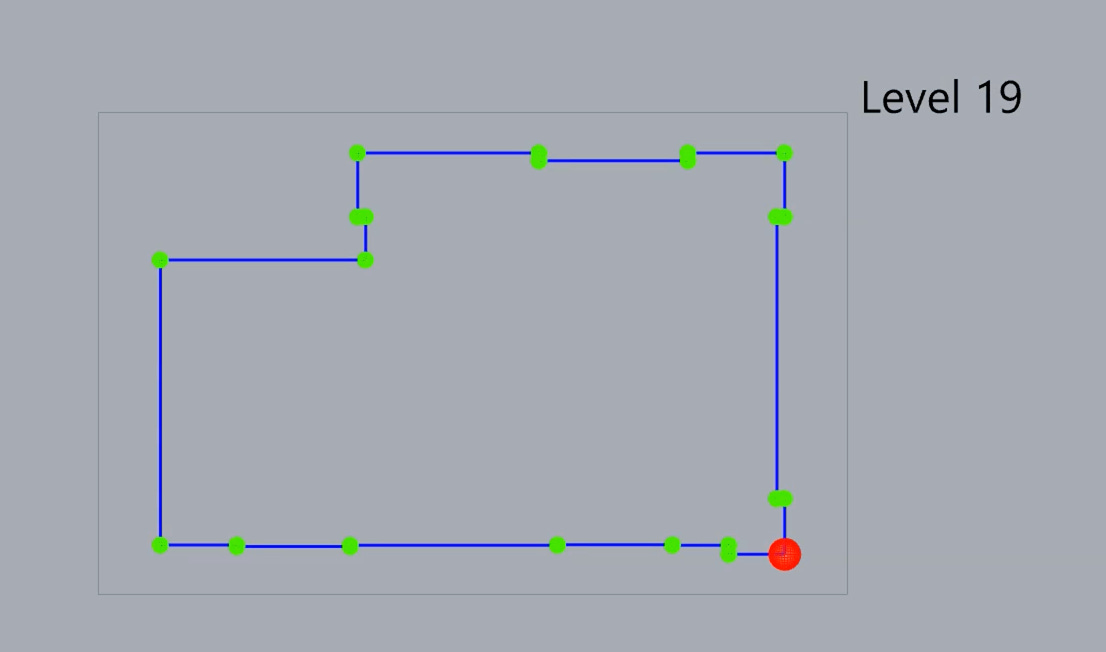
Ahmed wanted to speed up model coordination every time there was a new model from the client. His team had to manually review the new model, highlight changes, and either accept them or raise issues with the client.
It was a 42-floor model and they have to trudge through it twice a month. Each time they did it, it took them up to 16 hours (2 working days). Also, this is type of task that’s done on many projects.
Running some quick math:
Manual process: 16 hours per coordination cycle
Frequency: 2 times per month = 32 hours monthly, 384 hours annually
Script development: ~24 hours (3 working days)
New process time: 2 hours per cycle
Time saved per cycle: 14 hours
This was a no-brainer. Even with quick numbers, I could see the script would pay for itself after a few uses. Even if development time went up to 30 or 40 hours, this was still a good investment.
And pausing to run those numbers proved us right, this script is now the standard way Ahmed’s company handles coordination tasks for their clients.
Example 3: Revealed through discovery - Transferring PT
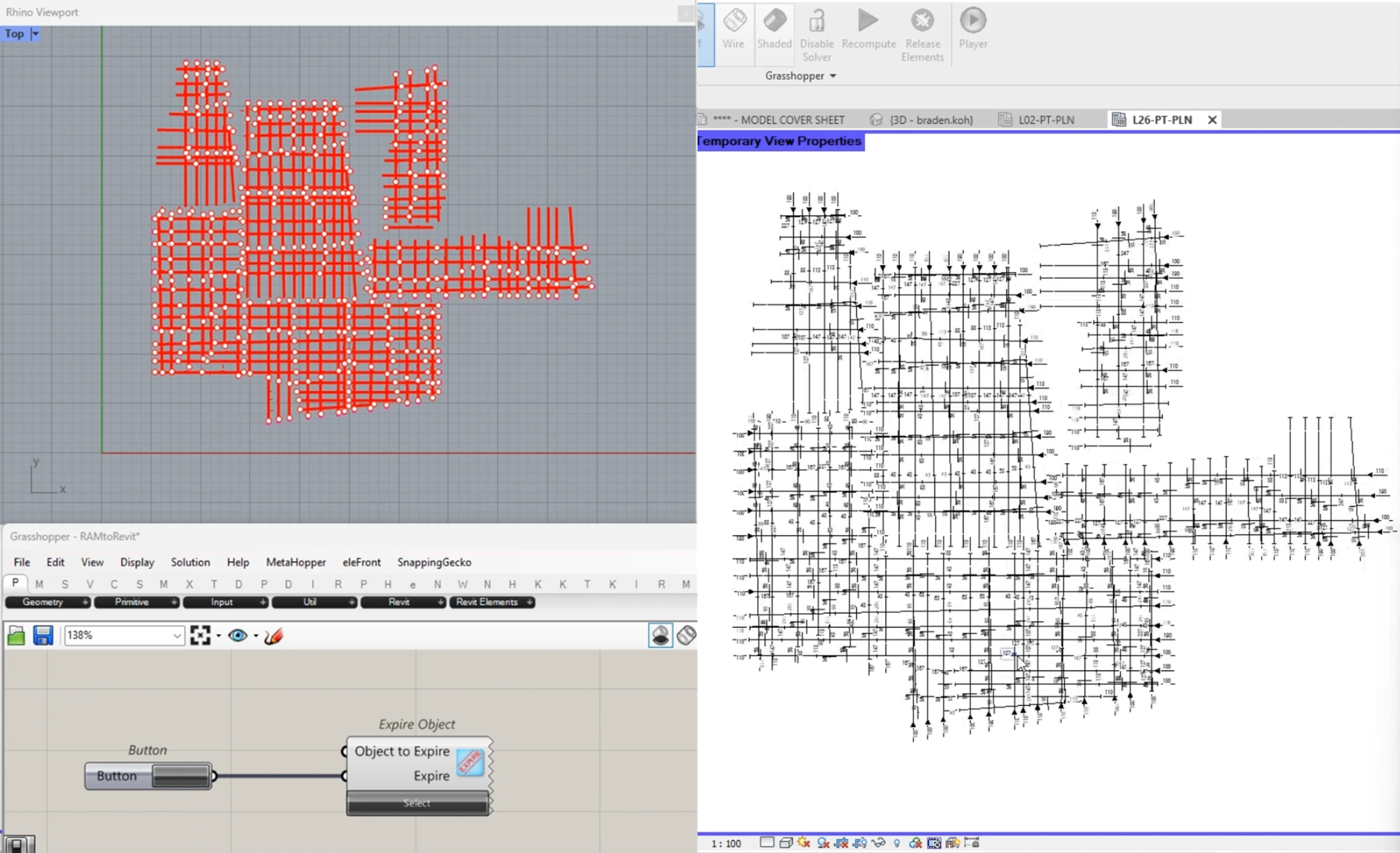
Hannah came to me with an idea to automate the drafting of Post-Tension (PT) tendons in Revit. Since engineers had to model the PT in their analysis program, she wondered if there was a way to bring that into Revit so drafters didn’t have to start from scratch.
I was skeptical because there would be so many moving parts. Engineers would need to learn how to export the data, drafters would need to learn how to import it, the workflow would need maintenance.
So, instead of jumping into solving mode like usual. I stopped and told her we’d try prototyping something first. Let’s just try bringing the lines across and see if everyone (drafter, engineer and me) is happy with the workflow.
After about a week, it worked. Hannah and Sarav (the drafter helping me test) were happy with the process. They estimated it would save them 5 hours per floor on every project. An average project has 5-20 unique floors.
And through working with Hannah and Sarav, we uncovered more solutions to different problems in this process. Like automatically placing tags, dimensioning and even calculating offsets based on simple rules.
The numbers after discovery:
Prototype: 1 week to validate concept
Full development: Several weeks adding automated tags, dimensions, offsets
Time saved: 5+ hours per floor × 5-20 floors per project
Result: 25-100 hours saved per project on a frequently recurring workflow. It became the new standard for drafting PT
The key was that I set aside time to explore and understand the problem. We validated the concept before committing to full development. Discovery revealed this was worth the investment, but it also shaped what we actually built, starting with the core problem (getting geometry across) before adding the bells and whistles.
The Discovery-First Approach
This is now why I refuse to start building without understanding the problem and the context first.
I’ve watched too many teams waste money jumping straight to development when 30 minutes of investigation would have revealed the problem wasn’t worth solving or that a $200 commercial tool already solved 80% of it.
Now, every project I work on starts with discovery. It’s investigative work:
How often does this really happen? (Show me the data)
What does a better workflow actually look like?
Are you looking for one-button automation or are you okay with some manual steps?
How much time will this realistically save?
What would it cost to build properly?
Can you buy something off-the-shelf that solves 60% of this?
Sometimes, after this phase, I tell teams it’s not worth automating. Even if that means I don’t get to work with you.
Most of the time though, this discovery phase actually reveals a simpler (and often cheaper) solution than what teams originally wanted. Instead of the comprehensive tool they envisioned, we would build something focused that solves the actual bottleneck.
The discovery phase typically delivers:
Clear scope (no surprises mid-project)
Realistic timeline
Honest cost estimate
Shared understanding of what “success” looks like
A clear go/no-go decision point
It’s like having insurance against building the wrong thing. You’re investing a small amount upfront to avoid a potential $20,000, $50,000, or even larger mistake. If we decide it’s not worth automating, you learned that for a fraction of the cost of building something you’d never use.
A short, focused discovery phase de-risks the entire project.
What This Means For You
If you’re reading this thinking about a painful task on your team, here’s what I’d suggest:
Don’t start by trying to automate something. Start by understanding what it’s actually costing you.
Pick your most painful recurring task. Track how long it really takes for two weeks or a month. Try your best to actually measure the time and pain. Calculate the annual cost. Then ask if automating it is worth investing in.
The answer might be no, it might be yes. But you’re flying blind without knowing.
Not every problem needs automation. But the ones that do, deserve to be done right, with clear ROI and realistic expectations.
Okay, if you’re thinking about automating a workflow, let’s have a chat.
I’ll help you run the numbers, ask the uncomfortable questions, and give you an honest assessment. Sometimes the answer is “don’t automate this yet.” Sometimes it’s “this is a no-brainer.” Either way, you’ll have clarity before spending serious money.
We’ll just talk through it for 15-30 minutes. No sales and no strings attached.
Brilliant. This is such a crucial point, especially with everyone jumping on the AI bandwaggon. The 'should we?' is the actual millin-dollar question. So often overlooked.