



Every couple of months, I get the chance to talk and present to teams about the work I’ve been doing. Sometimes it’s a project update. Sometimes it’s a networking event. Sometimes it’s just coffee with someone curious about the field.
If the conversation goes well, the other person starts reflecting on their own projects, looking for ways computational design or automation might help. And if I did a really good job, I can see the contortions on their face trying to fit computational design into their work. Then, inevitably, I get asked this question:
“How can I get more benefit from computational design? Should we hire someone?”
They’ve seen what computational design can do and they start wondering if it’s possible to sprinkle that magic on their work too. They too would like to automate their troubles away.
Well, I’ll give you the most consultant answer in the world: it depends.
Don’t hire first, focus on your problems
I’ve seen companies hire computational designers or even software developers without really knowing what that means. I don’t just mean as employees. I also mean teams that bring people like me onto their projects.
They know they need some automation or computational help but just bringing someone on for the sake of it, isn’t going to do anything. As powerful and flexible as computational design is, it’s not magic. It’s still requires thought, planning and context.
It’s not that you must be clear on what we do, but you have to be open to some discovery, risk and the fact that not everything turns out the way we planned. Often times, by trying to apply computational design, we would highlight problems of the current process as well as try things that can fail. You’re always come out of it better, but sometimes it won’t be what you were expecting.
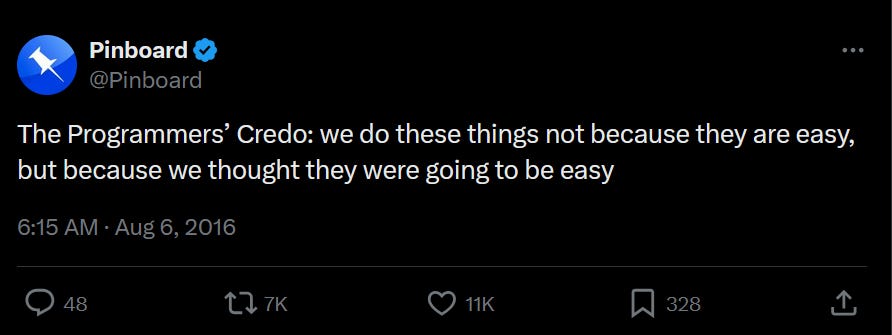
The problem with computational design is that most people don’t understand what you do, and without clear communication and context, even well-intentioned projects turn into a negative downward spiral.
Teams bring in computational design expecting it will solve everything. It doesn’t. The computational designer then gets frustrated. Teams still don’t get anything solved and they’ve just wasted time. And it keeps spiraling down.
So instead of thinking about whether or not to hire someone, first think about the kind of problems you actually have. If you can identify the patterns or specific challenges you’re facing, you’ll have a much better time working with anyone in the computational design space.
Okay, so how do we actually do that? How do we articulate problems and context in a way that helps everyone find better ways of working?
Well, I think that starts with the problem spectrum.
The problem spectrum
Over the years, I’ve noticed that most problems I’ve helped solve fall into three categories, project, workflow and project-flow problems. Understanding which one you have helps manage expectations, communication and I think it frames the mindset around working together.
Project Problems
These are the one-time challenges. A specific model that needs automating. A specific geometry needs to be generated. A deadline that’s tight and you need more automation to meet it.
This is the classic example of “We need to model 500 structural connections for this stadium project, and doing it manually will take three weeks, we only have 3 days.”
These problems have a clear start and end. Once the project wraps up, the problem disappears. You might face something similar on your next project, but it won’t be exactly the same. They often have different context, geometry, types of models, etc.
The key to getting effective computational design help here is to flag potential problems early.
Ideally during project planning or early design phases. I have found that being part of early project meetings really helpful. Even if nothing computational has been identified, being part of these meetings at least gives me the context on the project itself. It also helps to have someone experienced in the room that can point out areas where computational design can help out.
Workflow Problems
Then there are problems that are more process driven. The ones that span across projects. You know the copying & pasting of Excel results. Or having to add metadata to the model again because there’s a new version.
Unlike project-based problems, these are problems that come from an inefficient process. They’re baked into how your team operates.
The solutions here tend to be more “tool” based. As in, instead of thinking about solving just one problem, we are now making a “tool” that repeatedly solves the problem. More importantly, other people might also use this solution.
Where in project problems, if the solution was a script, the computational design person would just run it and produce results. But here, it might be about creating a program that others run on their laptops.
A key thing to understand about workflow solutions, is that they take longer to develop than project-based ones. And that’s because we’re now trying to build something longer term.
It means understanding your team’s actual process. The problem itself, the context of things and why things are done a certain way.
This makes the solving process iterative. You don’t just give us a document and then we go away and make something. You’re collaborating through rounds of “try this, does it fit how you actually work?”. We work together to design what a better workflow would look like. That back-and-forth may feel like a waste of time but it’s part of the work too. The more honest and clearer that picture is, the better the solution will fit.
So for situations like this, a discovery phase is still the best way. It helps all sides understand the exact problem that we are solving and ensures that whatever is being built actually solves it.
When It’s a Bit of Both (Project-flow problems)
Some problems don’t fit neatly into either category. They have occasional project-based fires that need putting out, but also ongoing workflow problems they’d like to address. Sometimes, it’s a bit of both but the task is so small that it’s not enough to justify a full-time hire.
Take the demolition zones project I worked on with Arun. Every week, he’d spend a full day manually consolidating updated zones from structural, civil, and services teams, redrawing everything in Revit for everyone to confirm. It was a script that reduced eight hours into two hours. And it only took me one day to make it.
It was too small to be a “project problem” but happened so consistently it took up significant time.
For situations like this, a retainer arrangement makes the most sense. The idea is, instead of scoping and negotiating each request separately, you have ongoing access to computational design thinking. Small questions and tasks get solved without worrying about resourcing or hiring.
The value here is having someone automate all the small things you’re dealing with, the weekly graph that’s a pain to produce from model updates, the data entry that happens every time on this particular project. Annoyingly manual but too small to hire someone to solve it.
This model isn’t for everyone. If you genuinely only have one-off project needs, a retainer doesn’t make sense. And if your workflow problems are significant enough to keep someone busy full-time, you should probably just hire. But for the in-between, where you need consistent access without the overhead of constant re-engagement, it’s worth considering.
Finding the right problem type
The type of problem fundamentally changes how you should engage with people in computational design.
For project-based problems, you’re looking at a transactional relationship. You have a specific challenge, you need a specific solution, and once it’s delivered, you’re done. This is straightforward: scope the work, agree on deliverables, execute, handover.
Then you have workflow problems. Instead of any one-off transaction, you’re looking more at a partnership. You need someone that understands how your team will work, where the real pain points are and to build a solution that solves that.
And most commonly, you might have project-flow problems. Tasks that are too small to be considered “projects”. This is when you need someone “on-call”. Automating all the small but important tasks that eat up so much of your team’s time.
The issue with problem types
The biggest issue I have seen is when teams conflate the categories. They want an ongoing solution for a one-off cost. Or they want an one-off solution for something that keeps changing.
But it’s normal because sometimes the actual problem is not revealed to us until we start solving them. Sometimes requirements change as teams learn what’s actually possible. And sometimes, it’s because we uncover different ways to solve the problem later as well.
I learned this the hard way. I once spent an entire year building a tool to automate post-tension tendon modeling. A full year. When I finally discovered there was a native export function that did the job better in two hours, I understood why discovery matters. That project-based approach meant I was incentivized to build and deliver, not to investigate whether building was even the right answer.
if there’d been ongoing collaboration rather than a fixed deliverable, someone might have asked the right questions earlier. But because it was framed as a project problem with a clear deliverable, I was heads-down building instead of investigating.
In the end, it’s important to be intentional about the type of problem you want computational design to solve.
Questions Worth Asking
Before engaging with computational design in any form, it helps to get clear on what you’re actually dealing with. With talked about the types of problems that show up, but how do you actually categorize these ?
Well, here are some questions I ask teams before starting any work to help me figure out what I am dealing with:
About the problem itself:
Is this a challenge specific to one project, or something that shows up across multiple projects?
How often does this problem occur? Weekly? Every project? Once a year?
If we solved this perfectly today, would it stay solved? Or would requirements likely evolve?
About your team’s readiness:
Do you have someone who can maintain or modify a solution after it’s delivered?
Are you open to changing how you work, or do you need something that fits your existing process exactly?
How much time can your team invest in explaining their workflow and testing solutions?
About what success looks like:
Do you just need this solved once, or are you looking for something reusable?
What would make this worth the investment? Time saved? Errors avoided? New capabilities?
How will you measure whether this actually helped?
The answers to these questions matter more than the specific technology or approach. They tell you whether you’re looking at a project or a partnership, and they help whoever you work with understand what you actually need.
I know it may seem overkill to some, but I find a lot of value in writing these down. Either as a proposal or just a form to fill in. The act of writing something down forces me to understand what I am actually working with.
Final Thoughts
The question isn’t whether you need computational design expertise. It’s how you access it in a way that actually solves the underlying problems you’re facing.
Because whether you want to implement computational design or not will come down to the types of problems you’re dealing with. And it helps bringing someone who has the experience along with you to understand the context and see if any part of it can be automated.
The teams that get the most value from computational design are the ones who took time to understand their actual problems first. And that is valuable work regardless if you need computational design or not.
If you’re trying to figure out what type of problems you have or whether computational design makes sense for your team, I’m always up for a conversation. Sometimes just talking through your workflow with someone who’s seen these patterns before helps clarify things.