


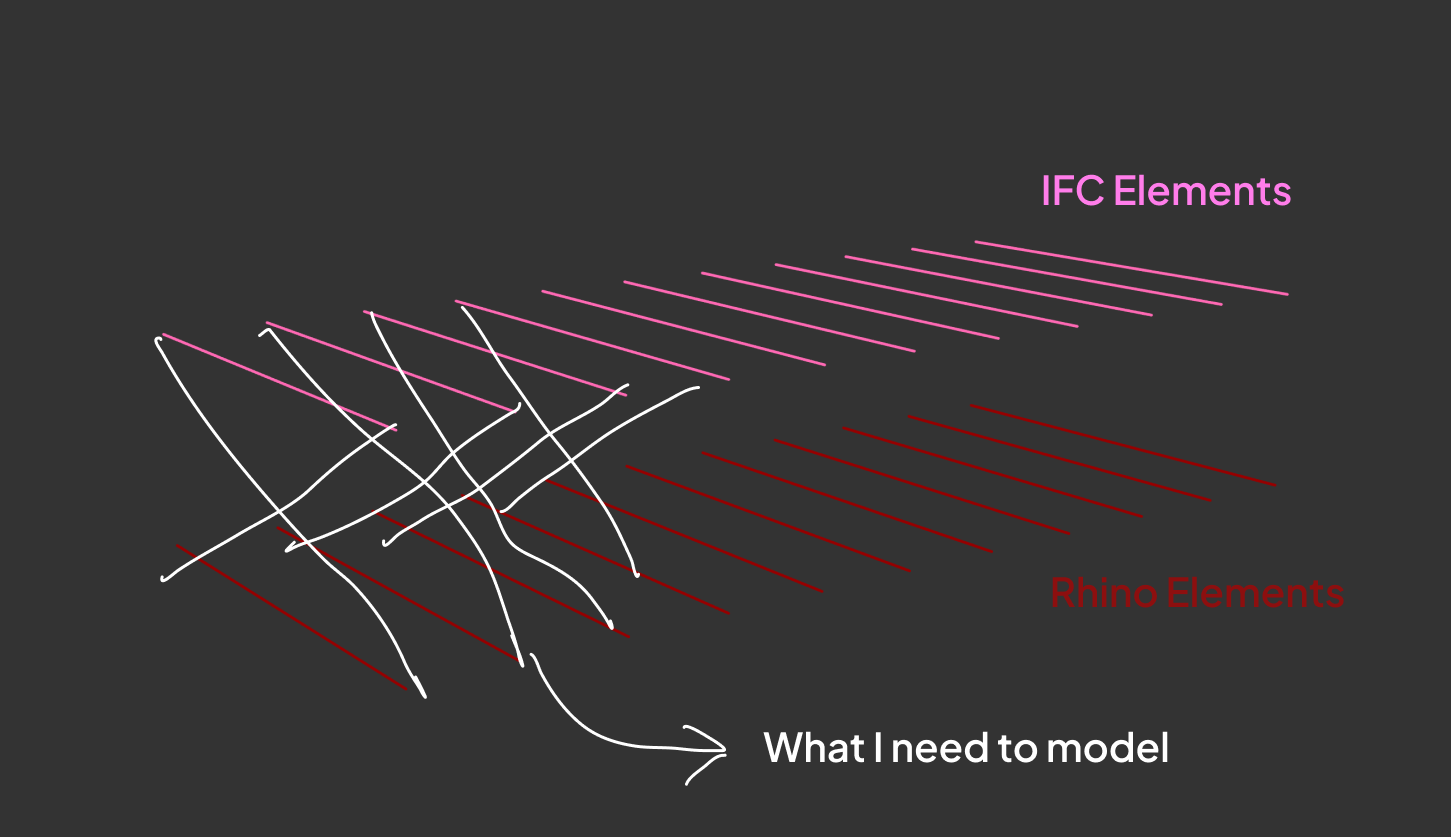
A few years ago, I was on a project where we had two models of the same building. An IFC from the structural engineer and a Rhino model from the architect. The architect had made changes, but their model didn’t match the IFC, so before anyone could approve anything, we needed to reconcile the two.
That meant figuring out which structural beam in the IFC belonged to which line in the Rhino model. Once you have that pairing, you can start comparing, flagging differences, and making decisions.
Luckily, Grasshopper gives us "Closest Point" and "Curve Closest Point" for exactly this kind of problem. So I hooked the components up in a small script and clicked run.
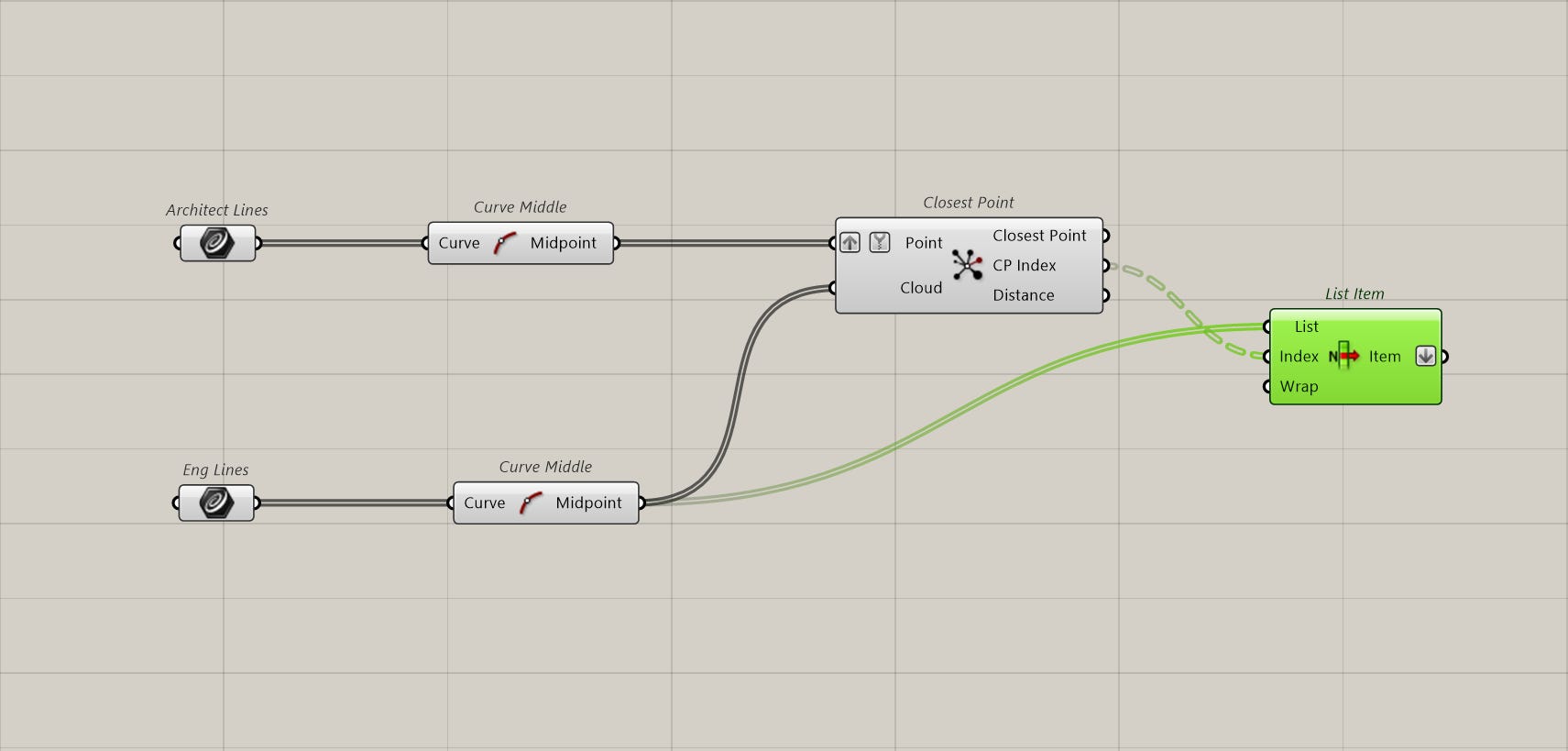
Four hours later, it still wasn’t done.
Nothing was broken. It was literally four components. But I had just over 5,000 beams to check, and under the hood, Grasshopper was checking every beam against every line. That’s 5,000 * 5,000 checks.
Which is a lot of checks.
Well, luckily, just by knowing a bit more about how computers search through data, there are actually some components that make this dramatically faster. If you store your points in something called an RTree, Grasshopper can find the closest point without checking everything. It narrows the search before it starts. Take a look at the difference below.
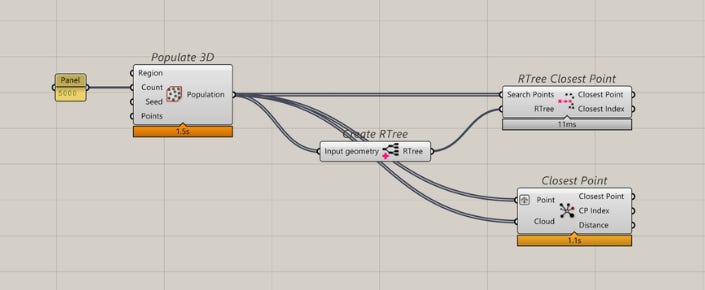
And, the best part is that it's not a huge change to how you normally do "closest point" in Grasshopper.
To see this in action, head over to the detailed guide I wrote here :

Want to learn where to apply computational design?
Subscribe to CodedShapes and I’ll send you my free guide on how to actually do that