


I once had a script for a project that I had over five data streams to maintain.
I am sure you’ve been in the same boat before.
You have the your geometry. Then, say a property, like an area. Oh but that’s not enough, you need to know which geometry is made of steel or wood. Then, you also need to know which geometry has to be cut and which hasn’t.
Sorry, for the rant. The point is when we work with geometry in a script, it’s never just the geometry. We always have some other information that we need to bring over too. And if you have a complicated script, your data structure is normally..... quite complicated.
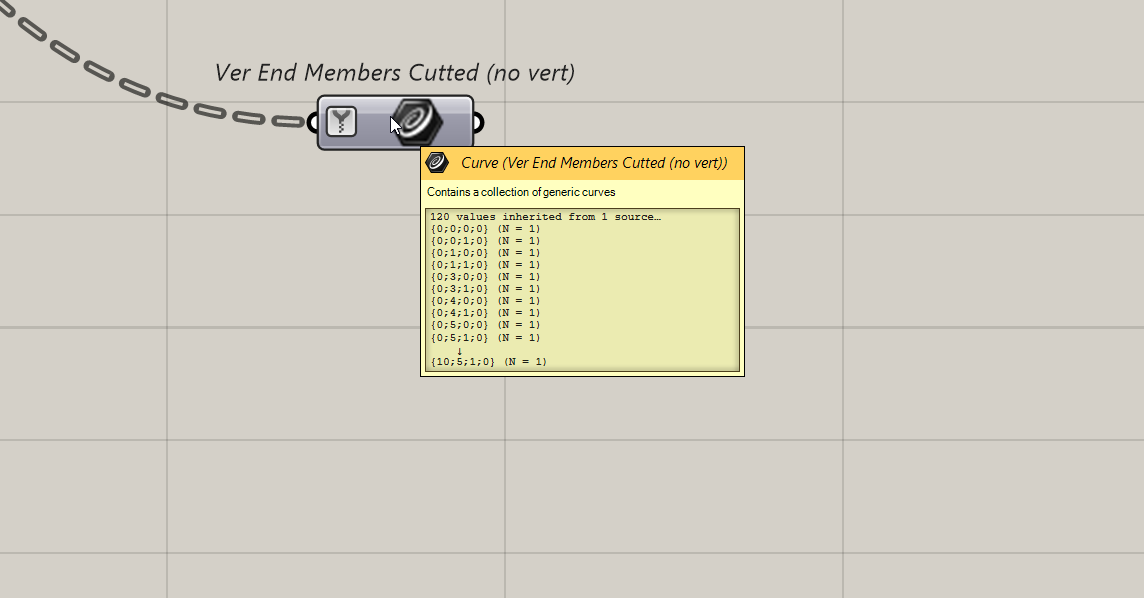
Typically, in Grasshopper fashion, we would just copy and paste this structure as many time as you have information. So, 5 properties means 5 data streams. Maybe you have a script that looks like this.
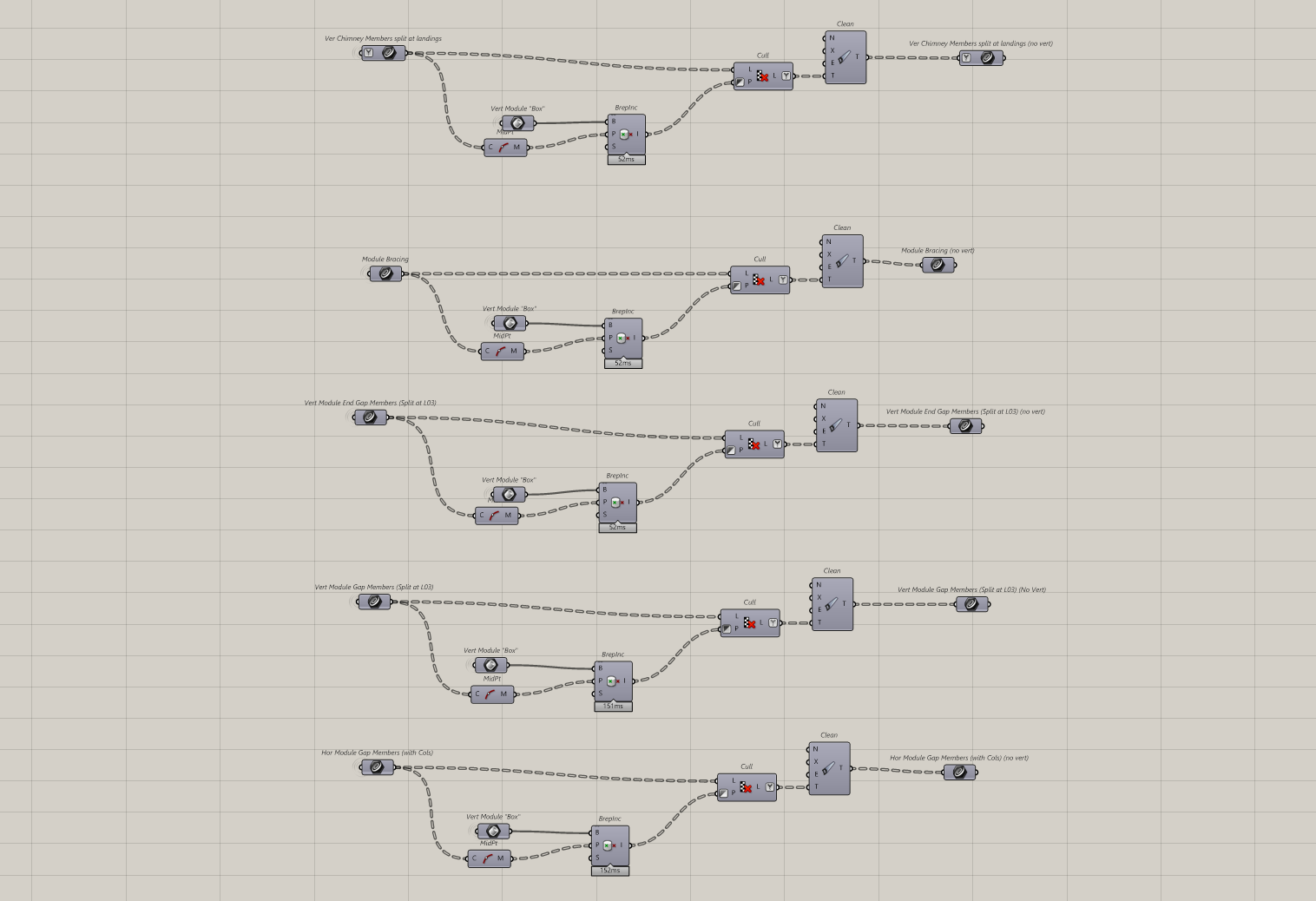
Now, imagine you update the script. You have to remember to update all the streams or else the script breaks. This is actually why scripts become brittle.
Is there a better way ?
Yes, yes there it.
And it’s a technique that’s been in software development for a long long time. It’s called “Object Oriented Design”. It means that instead of our geometry being just a curve or a line, we can attach some information to it known as metdata.
This means, instead of just the geometry, we have an “object” that has everything we need. This is also known as a “container”. So, instead of using multiple streams of data, we can put all of that in a single stream and carry that around with us.
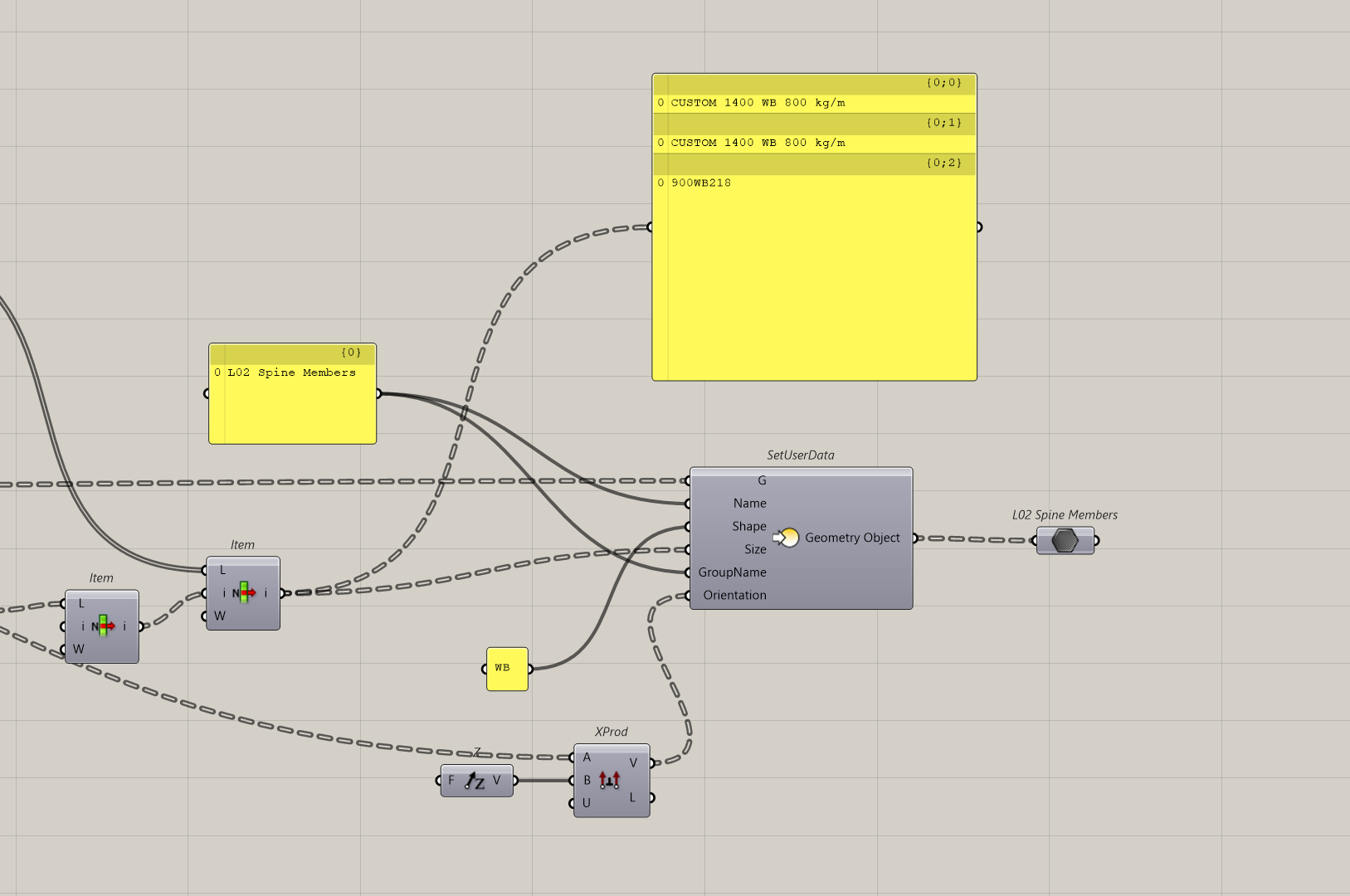
If I didn’t have this component with me. I would have an additional five streams I need to maintain. Having fewer streams just means less to maintain later on.
Also, if you do work with other people, you can bake the metadata into Rhino as well. This means other scripts can use the same metadata. It also means people can see that metadata in Rhino. This is something I talked about in my article on Elefront.
Options to do this
Okay, so how do we do this in Grasshopper ?
We actually have three choices here.
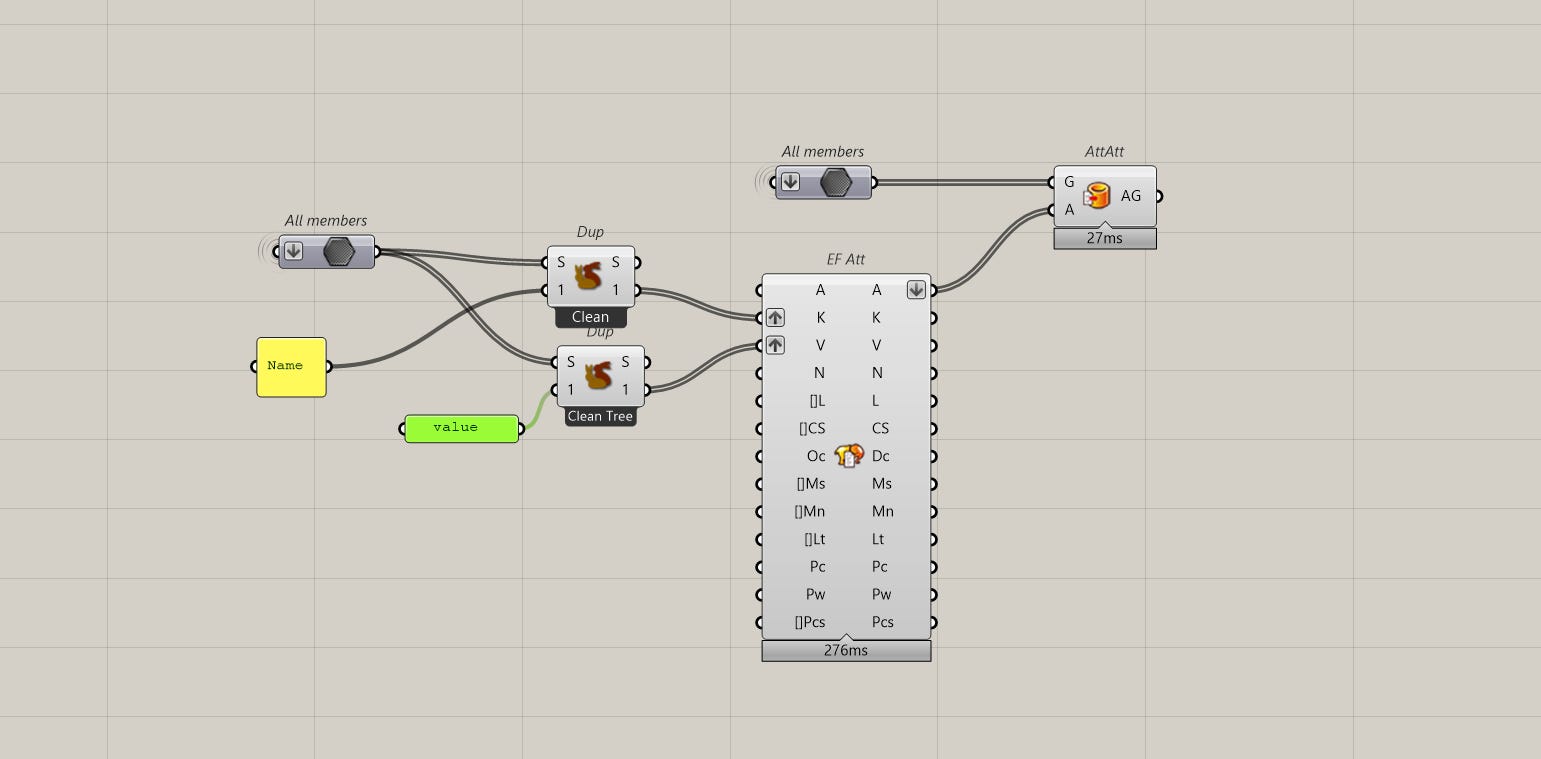
Option A - Elefront
The “traditional” way is to use Elefront because they have components that let you attach metadata to geometry.
Option B - Rhino 8
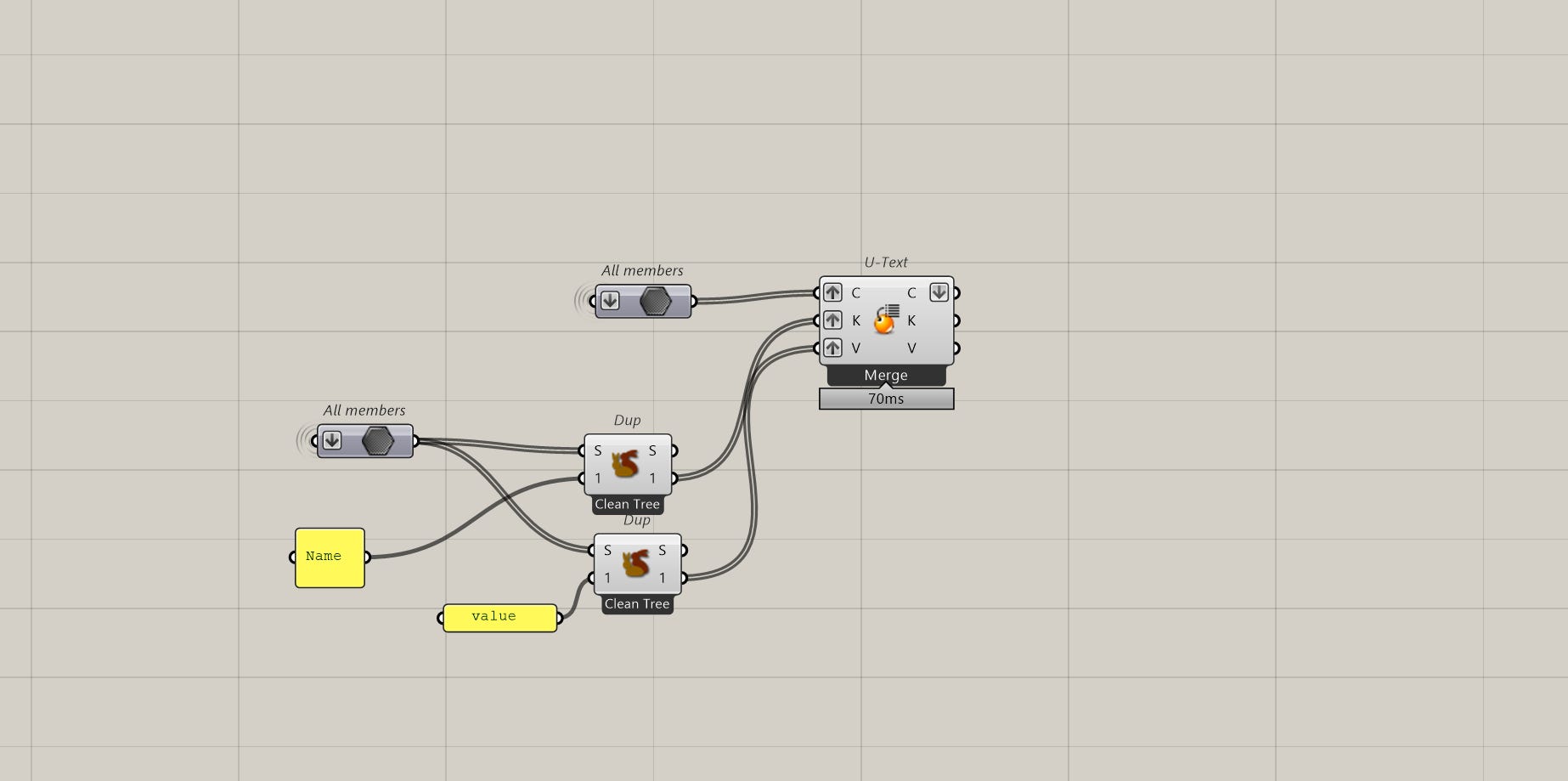
The more modern approach is to use Rhino 8 which allows you to do something similar to Elefront. Except, you have to work with what Rhino calls a “model cache” but it’s really the same thing.
Option C - Custom Plugin
But regardless of what you choose above, both options still make use of Rhino’s native user values which actually means if you don’t like the way any of these plugins work, you can build your own. Just like what you see below and any of my screenshots.
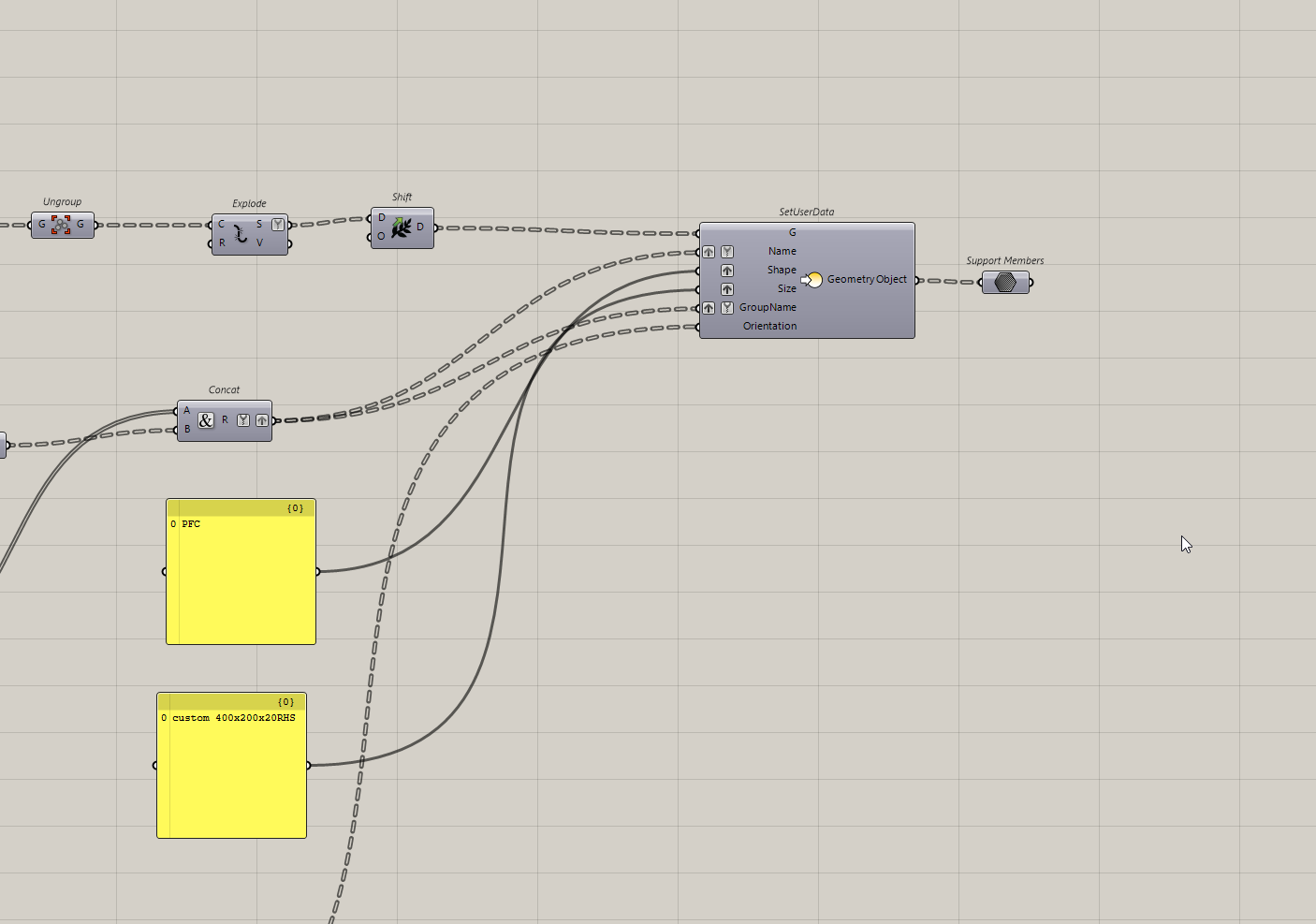
I prefer this because then I don’t have to give a list of keys and values, I can treat this more “grasshopper-ey” because it’s just plugging in the same data structure. But I have used the above methods a few times and it’s also very stable.
Okay, I’m still working on Scripository, which is a new platform where you’ll be able to download this script as an example and more. I’ll update this article with the download link when it’s ready.
Thanks for reading. If you’d like more articles like this, subscribe to CodedShapes to get them delivered to your inbox
Work with me: https://codedconstructs.com/contact/
Computational Design Courses: https://learn.codedshapes.com/
Scripository (A library of computational scripts): https://scripository.com/